For SQL Server pros working in SSMS on Windows.
SQL Sage for SSMS
An AI pair-DBA inside SSMS that doesn't guess — it proves and logs what it changes. On SQL Server and Azure SQL, with your own Claude or ChatGPT account.
SQL Sage for SSMS is an AI pair-DBA that does not guess. Instead of predicting an answer from the model, it reads your server through system catalogs and DMVs, shows the proof from your database, and logs what it changed. It runs inside SQL Server Management Studio on Windows — right where you already write T-SQL.
The full deep-dive and pricing live on the product landing — sqlsage.lumasoft.org, and what’s new in each version is in the SQL Sage changelog. This page differentiates and routes you there.
Proven & Accountable — proof and a trail
Four deterministic surfaces set SQL Sage apart from a chat box. This is the Proven & Accountable layer — Change-Impact, Incident Mode and Prove-It are part of the paid license, while the audit log works in every plan, including the free edition.
- Change-Impact — before any
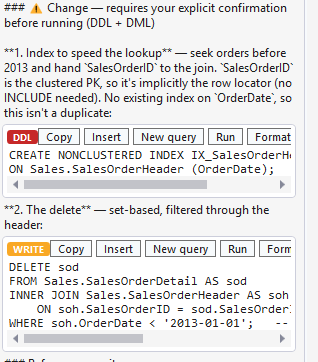
ALTER/DROP, you see the computed blast radius: dependent views, stored procedures and triggers, inbound foreign keys, and the rows at risk — computed, not guessed. - Incident Mode — triage of a struggling server: the blocking chain, the top waits and the most expensive queries, each claim backed by a real number from a DMV; and when your login cannot see other sessions, it says so instead of reporting “no blocking”.
- Prove-It — proves that a rewritten query returns the same rows as the original, using a deterministic multiset fingerprint; zero AI tokens — it’s pure computation, not a second opinion from the model.
- Tamper-evident audit log — a local, hash-chained record of what SQL Sage ran or blocked, with an evidence export for a change request or ticket; tamper-evident, not tamper-proof — it shows edits inside a day’s file, not a rebuilt or deleted file.
Editions & platforms — SQL Server and Azure SQL
SQL Sage is edition-aware: it uses what each platform exposes and degrades gracefully where a feature doesn’t exist.
- box SQL Server
- Azure SQL Database
- Azure SQL Managed Instance
- Host: SQL Server Management Studio 22 · Windows, x64 / Arm64
Where a platform doesn’t expose a feature — for example indicators that rely on server-level DMVs unavailable on Azure SQL Database — SQL Sage says so plainly rather than pretending full parity.
Your own AI account — no API key (keyless)
You connect your own Claude (Claude Code) or ChatGPT / OpenAI Codex account and talk to the model you choose without leaving SSMS. With Claude Code or Codex sign-in there is no separate API key to paste and no second, metered AI bill — you pay only for the model you already use. Switch models at any time, depending on the task. The step-by-step setup is on Claude in SSMS on your own account.
Safe by default
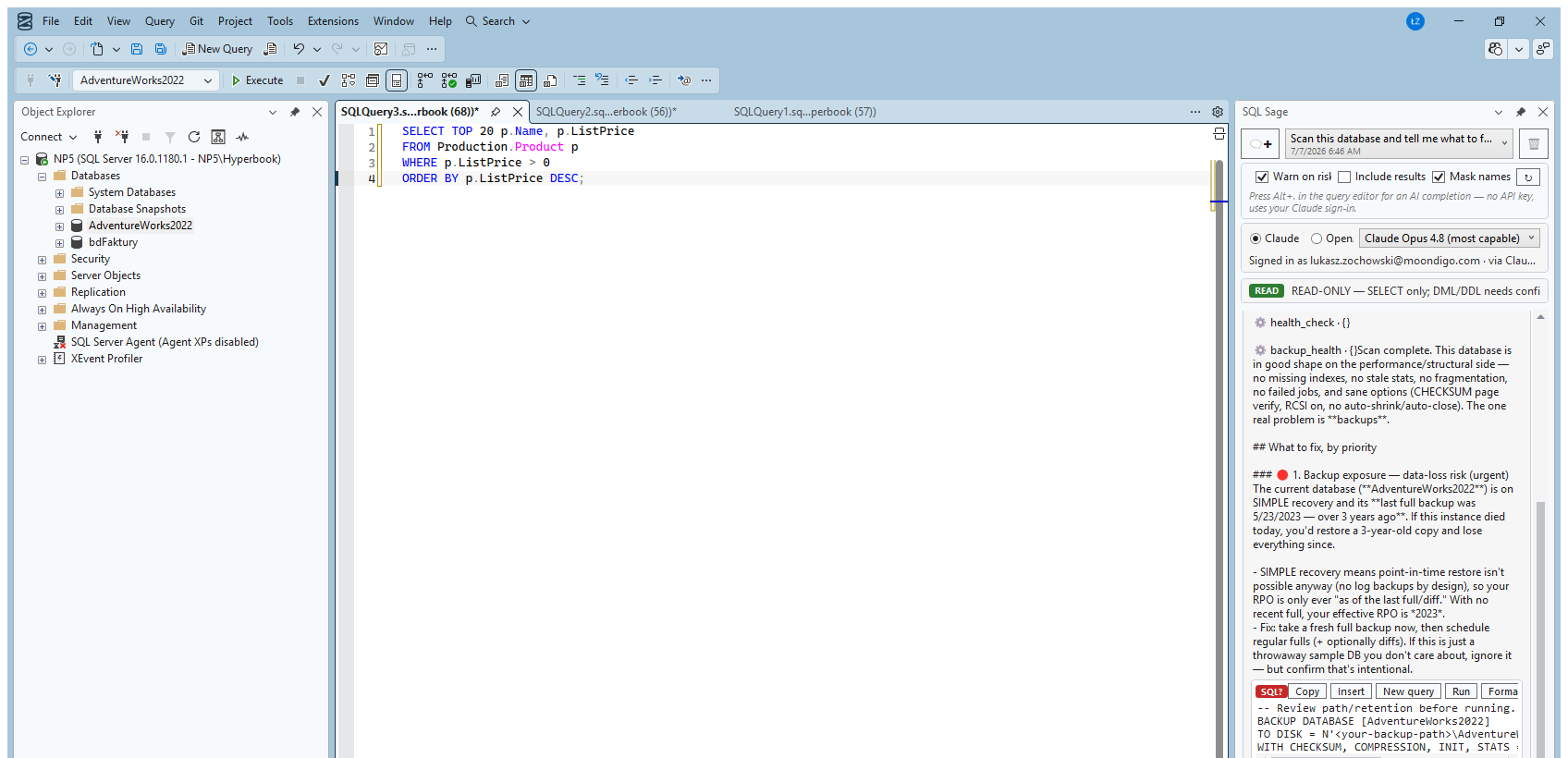
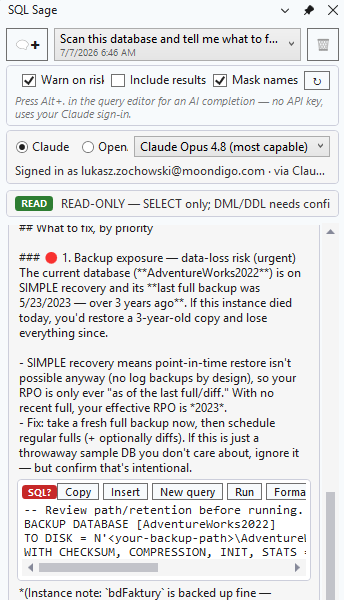
SQL Sage is read-only by default: reads of system catalogs and DMVs run on their own, while statements that change data and DDL stop for your explicit confirmation — with the exact SQL shown in front of you. Nothing reaches production by accident.
Mask names replaces server, database, login, host and file names with placeholders that stay stable for the whole chat, in everything sent to the AI — tool results, the conversation and your own system prompt. From version 0.35.1 inline completions are masked too: the text around the cursor goes with placeholders, the suggestion gets the real names back on your machine, and nothing is sent when SQL Sage cannot read the server’s names. Table and column names are not masked.
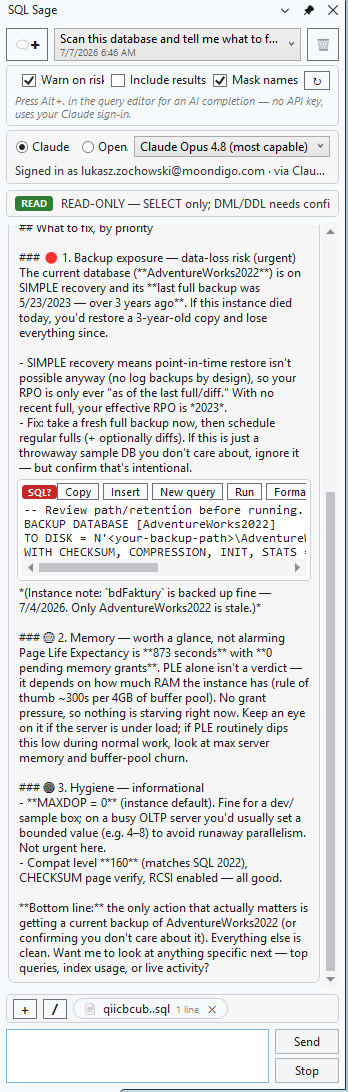
You also get free tools that run entirely locally, with no AI: SQL Sage History — a local query history kept on this computer only, encrypted for your Windows account (server, database, status including the SQL Server error number, duration, rows returned and the READ/WRITE/DDL class; passwords are masked before saving, query results are never stored) — and Check this database, a read-only, no-AI view of what changed since your last check.
Everyday work in SSMS
Day to day, SQL Sage works as an AI assistant for SSMS — a SQL copilot inside the window where you write. You ask in plain language, and it helps you write, explain and optimize T-SQL, explains a failed query and suggests the fix — next to the editor and the results, with no switching to a separate chat.
When a task takes several steps, SQL Sage works as an AI agent in SSMS: it reads your schema and real server values, plans the steps, runs reads itself and holds writes and DDL for your OK. If you are choosing a tool, see AI for SSMS compared: SQL Sage vs GitHub Copilot vs SsmsAgentic.
Trial, Free and license
- Trial (30 days, no credit card) — all features, full AI and the Proven & Accountable layer. The 30 days start with your first AI answer (or 14 days after you first open the panel, whichever comes first), so exploring the free tools doesn’t use up the trial.
- SQL Sage Free (after the trial) — the editor and the free local tools, with no AI (zero model calls).
- License — AI plus the Proven & Accountable layer (Change-Impact, Incident Mode, Prove-It); the audit log works in every plan.
After 30 days without a license, SQL Sage keeps working as a free editor; the AI features and Change-Impact, Incident Mode and Prove-It switch off (the audit log keeps working), nothing expires abruptly, and nothing disappears from your computer.
As a rough guide, a license is from $39 once or from $29/year — the current pricing is on the product site.
Download the 30-day trial at sqlsage.lumasoft.org » — full AI and Proven & Accountable, no credit card.
SQL Sage is an independent extension by LUMA sp. z o.o.; it is not affiliated with Microsoft, Anthropic or OpenAI. SSMS, SQL Server and Azure are trademarks of Microsoft; Claude of Anthropic; ChatGPT and Codex of OpenAI.
Screenshots
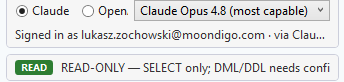
How to use an AI assistant in SSMS
Get SQL Sage for SSMS running in three steps — no API key, and without leaving SQL Server Management Studio.
Install the SQL Sage add-in for SSMS
Add SQL Sage as an extension to SQL Server Management Studio on Windows 10 or 11. The assistant appears right inside SSMS, next to the T-SQL editor.
Connect your own Claude, ChatGPT or Codex account
SQL Sage is keyless — you sign in with your own AI account. There is no API key to buy and no second subscription; you pay only for the model you already use.
Ask in plain language and confirm changes
Describe what you need right in the editor — SQL Sage grounds its answer in the real schema and values from your database. It is read-only by default; data-changing statements and DDL run only after you confirm them.